Onboarding tutorial for SERGHEI GIS Tools, the QGIS plugin for the SERGHEI flood model. It shows how to install the plugin, explains every field of Model Setup, Compile / Run and the Result Visualizer, and goes through a complete example: the Ahr catchment (Germany, July 2021 flood) at 50 m, compiled and run with SERGHEI, and the results in QGIS.
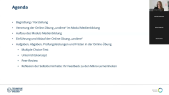
Chapters
0:31 Installing the plugin
1:48 Model Setup
2:43 General (domain, DEM, buildings, initial water)
4:11 Roughness
4:36 Domain boundary
5:46 Atmospheric forcing (rain)
7:15 Infiltration
7:52 Subsurface, soil erosion, culverts
9:11 Model settings
9:53 Output
11:23 Compile and run
12:39 Compiling SERGHEI
14:27 Running a simulation (SLURM)
15:27 Retrieving results
16:00 Batch run and terminal
16:46 Result Visualizer
18:10 Static results and Google Earth export
Plugin: https://gitlab.com/serghei-model/serghei-qgis-plugin
SERGHEI: https://gitlab.com/serghei-model/serghei
Contact: Dr. Shahin Khosh Bin Ghomash, TU Dresden